The Channel - a blog for Central Rivers AEA staff and board members 

Our Mission: To Deliver High-quality, evidence-based, and strategic services to our education partners that meet the diverse needs of iowa's learners (birth-21_), educators, and school Communities.

Author: cvanbuskirk

  • Open enrollment is approaching!

    EASE - Central Rivers AEA Benefits Enrollment logo

    Central Rivers AEA staff: mark your calendars for April 27 – May 22, 2026. This will be your time to choose your benefits. The benefits you choose will then become effective on July 1, 2026. Before open enrollment begins, think about any life changes from the past year that might affect your coverage, review your current elections, and gather dependent information you may need.

    Reminder: Everyone must enroll!

    All eligible employees are required to complete enrollment. Even if you don’t want to make changes, you must log in and confirm your elections. Please note:

    • There will be no rate changes for medical, dental or vision coverage for 2026-27.
    • For the 2026-27 open enrollment only, all staff are eligible to elect new or purchase additional Voluntary Life/AD&D coverage up to the guaranteed issue amount of $200,000 with no medical questions required (No Evidence of Insurability needed).
    • Review a summary of your benefits.

    How to enroll

    1. Log on to the Employee Dashboard at https://launchpad.classlink.com/centralriversaea. 
    2. Select the “HR/Bus Office” folder (lime green).
    3. Select the “CRAEA Benefits Enrollment” application.
    4. Follow the prompts to enroll in your 2026-27 benefits.

    Questions? Contact Kevin Klobassa, Benefits Specialist at (319)-273-8202 or benefits@centralriversaea.org. Stay tuned for more information about your benefit offerings and how to make the most of them this year.

  • Help us determine the final date for our fall all-staff kick off

    Your feedback is requested regarding the final date chosen for the Fall 2026 All-Staff Kick Off meeting. While it is difficult to identify a date that works for everyone, it is still worth trying to find the best overall fit. Our originally identified date of August 18 creates a significant conflict for Ed Services staff, particularly given their role in supporting back-to-school professional development. Others may also have conflicts as they carry out their roles in supporting schools at the start of the year.

    In light of this, two alternative dates are being considered. If you feel passionately about which date is ultimately chosen, please give us your feedback on this survey by April 15. Thank you!

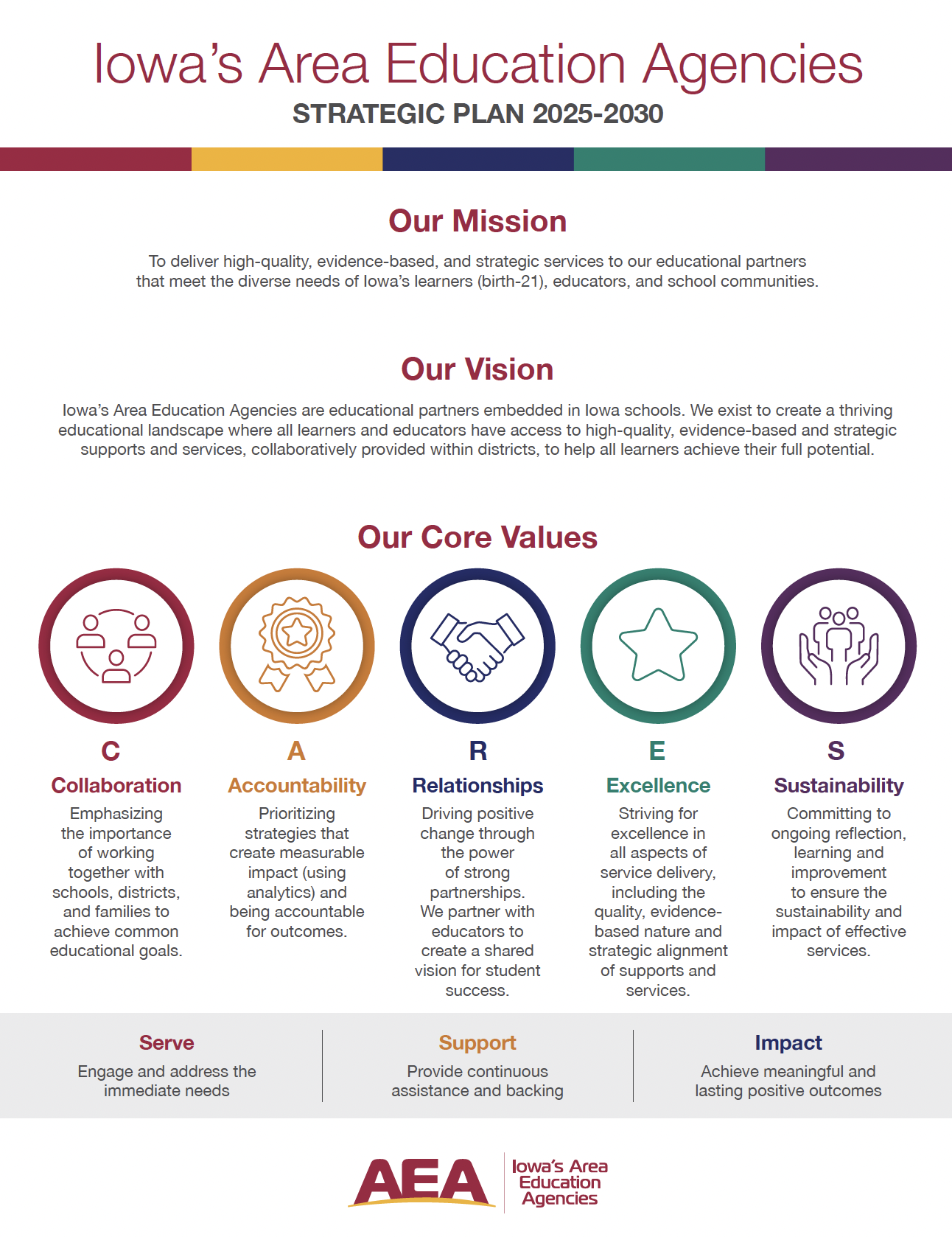
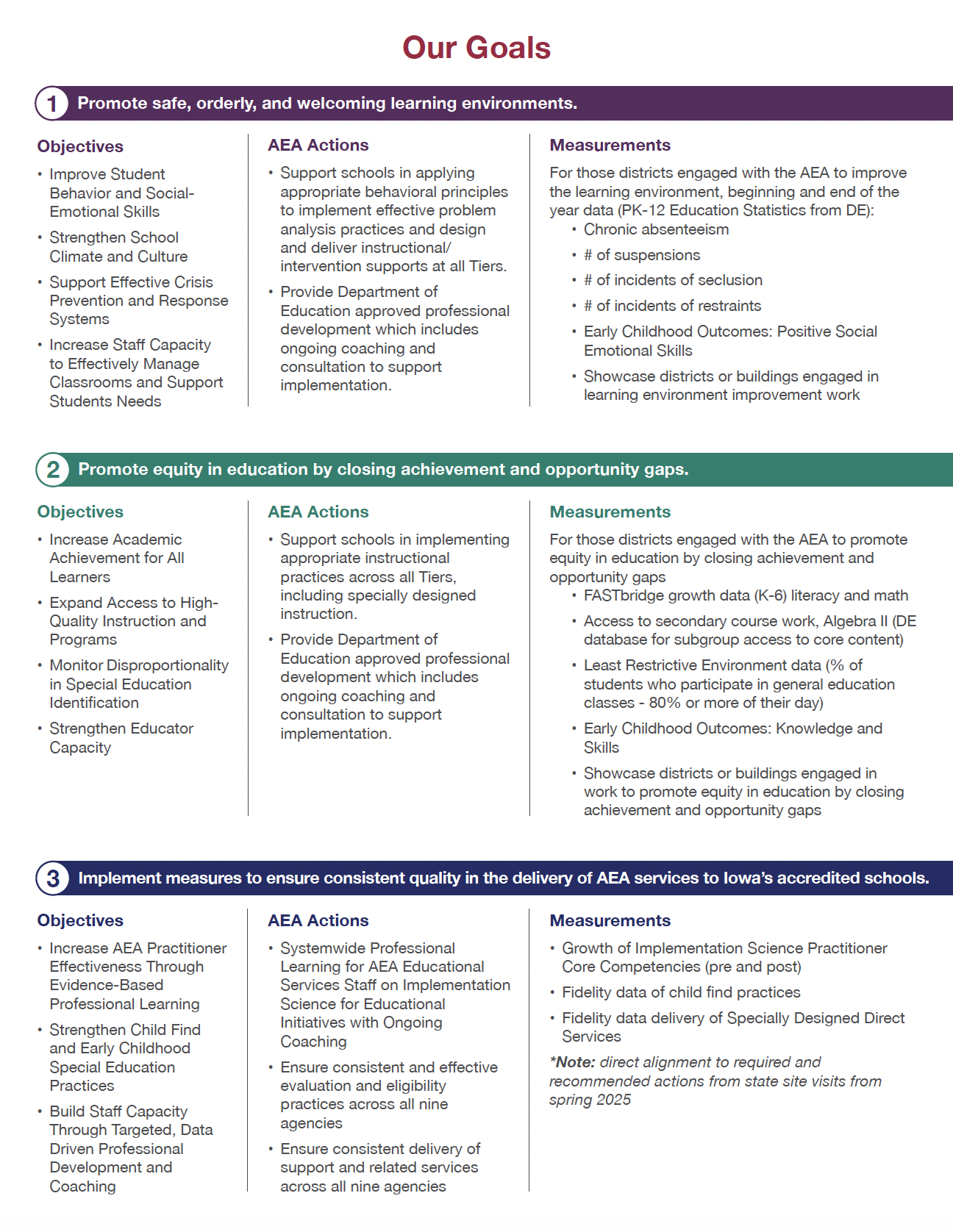
  • Monthly series: understanding our Strategic Plan (2025-2030)

    Tesha - Director of Ed Services

    As we continue moving forward together, the agency is kicking off a new monthly series designed to help all staff better understand our 2025-2030 Strategic Plan – and, just as importantly, what it means for your work every day.

    Whether you support students directly, work in operations, provide professional learning, or serve behind the scenes – this series is meant to help CRAEA staff see how our shared goals and values align with the many ways we serve.

    We invite you to engage with this series along the way. Have questions? Want to share reflections or ideas? Feel free to leave comments on each post. Your input helps strengthen our collective understanding and supports ongoing alignment as an agency.

    Videos:

    Thank you for taking time to follow along each month and for the work you do every day to advance our mission. We’re excited to build shared clarity and momentum around the Strategic Plan – and we hope this series helps every staff member feel connected to the bigger picture.

  • Monthly Zoom updates for CRAEA & Keystone staff

    If you missed the all-staff update on Tuesday, March 10 via Zoom, the slide deck and recording information can be found below. The next meeting (unless canceled if there are no new updates) will be held on Tuesday, April 14, from 4:00-4:30 pm.

    Resources from 3/10/26:

  • Cleaning your Google Drive

    Computer work (cleaning)

    To help protect student privacy, we’re asking all staff to review their Google Drive. Please check your files and remove or update any that are shared as “Visible to anyone in Central Rivers AEA” or “Anyone with the link.” All Central Rivers AEA staff:

    • Update the sharing settings to “Restricted” or share only with specific people.
    • Delete any outdated files you no longer need.

    This small step helps keep student information safe. More detailed instructions can be followed online. Please contact the CRAEA Tech Help Desk at helpdesk@centralriversaea.org or 319-273-8231 if you have questions or need assistance.

  • Adobe Creative Cloud available in the tech request catalog

    The Adobe Creative Cloud suite is now available for request through our internal Tech Request Catalog.

    Adobe Creative Cloud apps

    Key tools to support your work

    • Adobe Acrobat Pro & eSign: Stop the “print-sign-scan” cycle by sending documents for legally binding signatures in seconds.
    • Track progress: See exactly who has opened a document and who still needs to sign.
    • Mobile-friendly: Recipients can sign on their phones without needing an Adobe account.
    • Advanced password protection: Secure sensitive employee data or confidential plans by restricting who can view, print, or edit your files.
    • PDF power tools: Fix typos directly in a PDF, convert files back into editable Word or Excel docs, and merge multiple files into one organized document.

    How to get started

    1. Navigate to the Tech Request Catalog.
    2. Click on “Catalog” and then select “Subscriptions/Memberships”.
    3. Wait for an email notification confirming your request has been approved.
    4. Log in using your Central Rivers AEA Google credentials, ensuring you select “Company or School Account”.

    For step-by-step guidance, please check out the 2026 Adobe Directions. If you run into any trouble, reach out to the Help Desk at 319-273-8231.

  • Work smarter, not harder: check out the staff tech hub!

    Let’s be honest: technology moves fast, and it can be tough to keep up. That’s why Central Rivers AEA and Keystone AEA teamed up to create the Staff Tech Hub – your go-to cheat sheet for all things digital! Think of it as your monthly “tech upgrade.” We update this resource every month with simple, practical ideas to save you time and boost your confidence.

    What’s the latest for this month’s tips?

    Assistive Tech: This month, we are focusing on how digital tools like calendars and task managers can act as an external brain to help students and staff stay organized, manage time and focus on their most important work.

    Artificial Intelligence: This month, we are exploring how AI can act as a helpful assistant to handle time-consuming tasks like drafting emails, summarizing long documents, and organizing notes, giving you more time to focus on supporting students and families.

    Practical tech tips: This month, we are sharing how you can use Google’s built-in mail merge to turn a simple spreadsheet into personalized emails, allowing you to connect authentically with parents and partners without the time-consuming task of writing each message individually.

    The goal isn’t just to give you more tools, it’s to make your daily work easier and more impactful. Ready for more? Head over to the Staff Tech Hub to see the full list of tips and tricks for this month! Reach out to Tiffanie Zaugg, Assistive Technology/AI Specialist, with questions.

  • Updates with Special Education

    Live documents, helpful resources and guides can be found on our staff website.