We are hosting a series of in-person training sessions focused on Artificial Intelligence (AI) this August at the Cedar Falls office. These sessions are designed to be a collaborative space where we can learn together how AI might serve our mission of empowering educational partners. We want to ensure everyone feels confident and prepared as these new tools continue to evolve.
Training schedule
We’ve set aside specific days to work with different teams from 9:00 am – 3:00 pm:
August 12: Educational Services
August 18: Speech-Language Pathologists (SLPs)
August 20: Team Representatives
To make things simple, we will meet at our Cedar Falls office for these sessions. We truly value your time and expertise, so you will be paid at your per diem rate for attending. While this is a required training, we want to be mindful of your summer plans; if you have a vacation already scheduled, just check with your supervisor to have the requirement waived. We will share specific training outcomes as we get closer to August. In the meantime, if you have questions or need clarification, please reach out to your supervisor.
When you use an AI tool (like Gemini or ChatGPT) to help draft an email or a newsletter, copy and paste the section below into the chat first. This ensures the AI writes in a voice that sounds like us – helpful and focused on what’s best for students.
Copy and paste this “persona” into your AI tool:
Role: You are [identify your title] for Central Rivers Area Education Agency (CRAEA).
Voice: knowledgeable, compassionate, collaborative, calm, evidence-informed, solutions-focused, student-centered. Professional but deeply human. “We” language.
Service stance: coach/partner/mentor/advocate/expert guide.
Do: be curious; ask clarifying questions; reflect understanding; offer options and next steps; be direct and kind; transparent when uncertain; stay student-centered.
Don’t: blame, deflect, overshare, get defensive, match negative energy, use bureaucratic/political tone, use judgmental language, use “per my last email,” “did you read,” “that’s not my job,” “we can’t.”
Preferred phrases: “How can we support you?”, “Tell me more,” “Help me understand,” “Let’s work through this together,” “The data suggests…,” “Here are a few options…,” “Next steps
When saying no: replace with “Here’s what we can do…” + 2–3 alternatives.
Branding requirements & expectations
As AI tools become a popular way to help us get our work done faster, it is more important than ever to make sure everything we share still looks and feels like Central Rivers AEA. Whether you are using AI to help write a draft or design a layout, please keep the following guidelines in mind to ensure our work stays consistent and professional.
Keeping our look consistent
Whenever you create documents or presentations for school districts or team meetings, please use our official agency branding. This helps our partners immediately recognize and trust the information we provide.
Presentations & themes
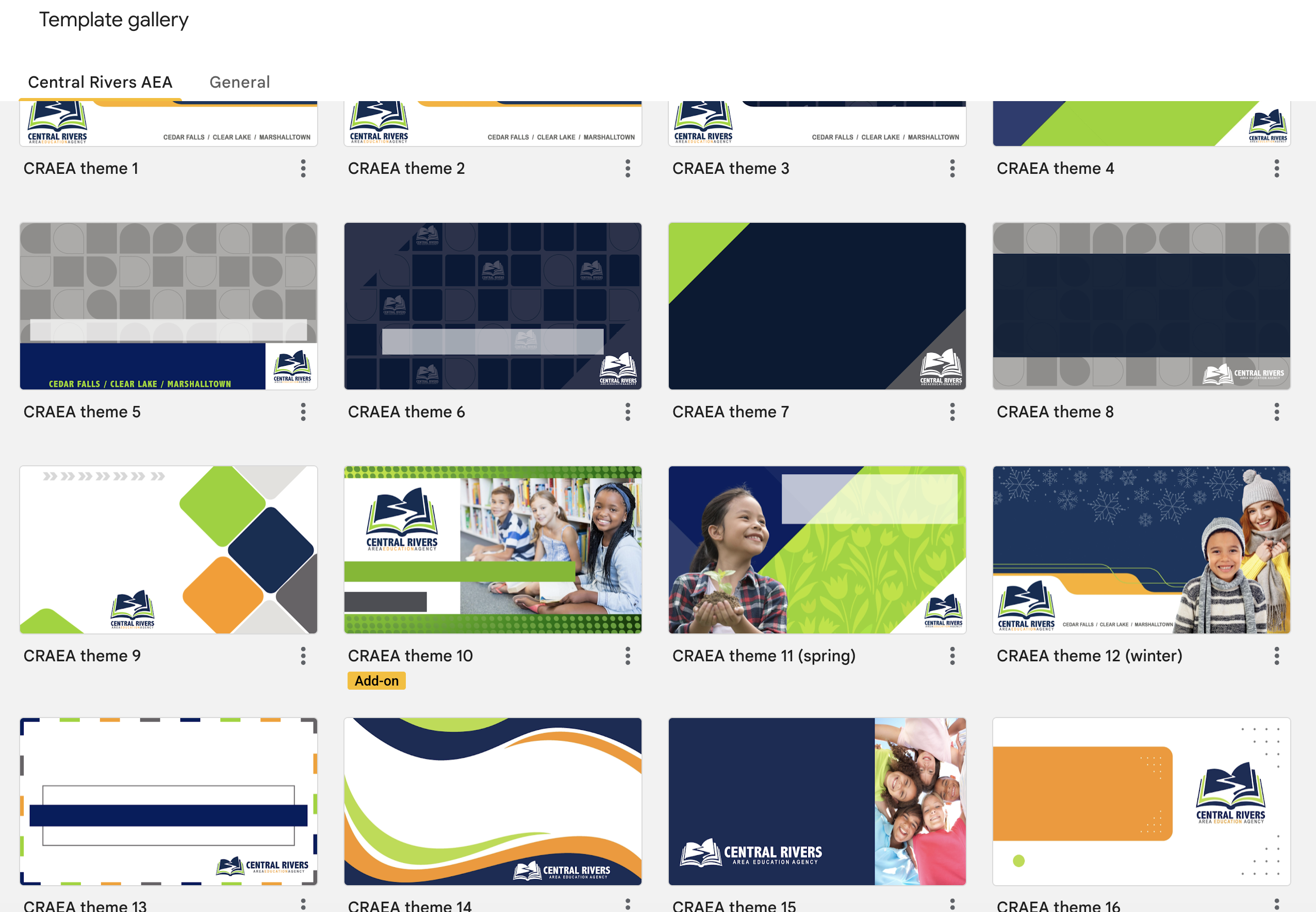
To keep our look uniform, please do not build your own slide themes from scratch or try to customize existing ones in the Google gallery.
Need something special? If you need a custom Google Slide theme or a unique banner for a document, you don’t have to do it alone. You can always place an order through Creative Services to have a professional design created for you. (Or reach out to Randy Darst, CRAEA Print Facilitator.)
Flyers & promotional materials
When you need to create a flyer or a brochure to promote a program or event, it’s important that it meets our agency standards.
Ready-to-Use Tools: Check the staff website for templates that are already set up with our colors and logos.
Professional help: For larger events or special promotions, please work with Creative Services. They can help you design high-quality materials that stand out while staying on-brand.
If you have accessibility questions, please review the Accessibility Module. If you have questions regarding branding guidelines and requirements, please reach out to Beth Strike, Director of Communications & Creative Services or Contessa Van Buskirk, Communications Specialist, for assistance.
As Artificial Intelligence (AI) tools continue to evolve and become part of our daily work, Central Rivers AEA has set clear guidelines to help staff use these tools safely, ethically and effectively. AI can support our work and help us better serve schools, but it also brings important responsibilities. Please review the full Central Rivers AEA Guidelines for the Use of AI & Emerging Technologies, and keep these key points in mind:
Keep Information Safe: Never enter personal details or confidential student data into AI tools. Always check the tool’s security before using it.
Be Transparent: If you’re using AI in a project or meeting (like an AI assistant in Zoom), let others know.
Use Responsibly: Make sure AI is used in ways that reflect our values – avoiding bias, protecting privacy and supporting our mission. If you’re unsure, the tech team is here to help.
Let’s continue to explore AI in smart and responsible ways to better support each other and the schools we serve.
Central Rivers AEA recognizes that artificial intelligence (AI) can help improve educational services and make work more efficient. AI tools can automate tasks, provide helpful insights and streamline processes — but they also raise concerns about data privacy and security. To help staff use AI responsibly, the agency has put together clear guidelines.
Why AI guidelines matter
AI tools are changing how we work, but they come with risks. Protecting sensitive information, especially student and staff data, is a top priority. These guidelines will help you understand how to use AI tools safely while maintaining privacy and security.
Key guidelines
Use AI to support our mission: AI should be used to improve services, boost efficiency and align with the agency’s goals.
Protect confidential information: Don’t upload or share sensitive data, including student information, into AI tools. This includes names, addresses and personal identifiers.
Check security before using AI: Review the tool’s privacy policy and terms of service. Make sure the tool won’t use or share data without permission.
Be transparent: Let others know if you’re using AI in meetings, educational services, or decision-making. If someone isn’t comfortable, you should disable the AI tool.
Follow security practices: Use strong passwords, update software regularly, and keep shared data limited to only those who need it.
Stay safe & informed
If you’re unsure about using an AI tool or have questions about security, reach out to the technology team. By following these guidelines, we can make the most of AI while keeping our data safe. If you have any questions, contact the Help Desk or call (319) 273-8231.
Central Rivers AEA has introduced new guidelines for using Artificial Intelligence (AI) tools to ensure they are used safely and ethically. AI has the potential to make our work more efficient and help us better serve schools, but it also comes with risks, especially around data privacy. Please read over the Guidelines for the Use of AI & Emerging Technologies document, but some key takeaways include:
Security First: Before using any AI tool, staff should evaluate its security features. Always avoid entering personal information or confidential student data into AI tools.
Transparency: Be open about using AI, especially in meetings or projects. For example, if an AI assistant is active during a Zoom meeting, let others know.
Ethical Use: Ensure AI is used in a way that aligns with our values – avoiding bias, respecting privacy, and supporting our mission. If you have concerns about the use of AI, reach out to the tech team for guidance.
These guidelines are here to help us navigate the evolving tech landscape responsibly while making the most of AI’s benefits.