Finding everyday forms, contacts, and resources just got easier. We have reorganized the staff intranet (website) to serve as the true central hub for everything you need, bringing all our essential links, tools and information together into one simple, organized space.
Two easy ways to search
Need to find something in a hurry? You now have two quick options:
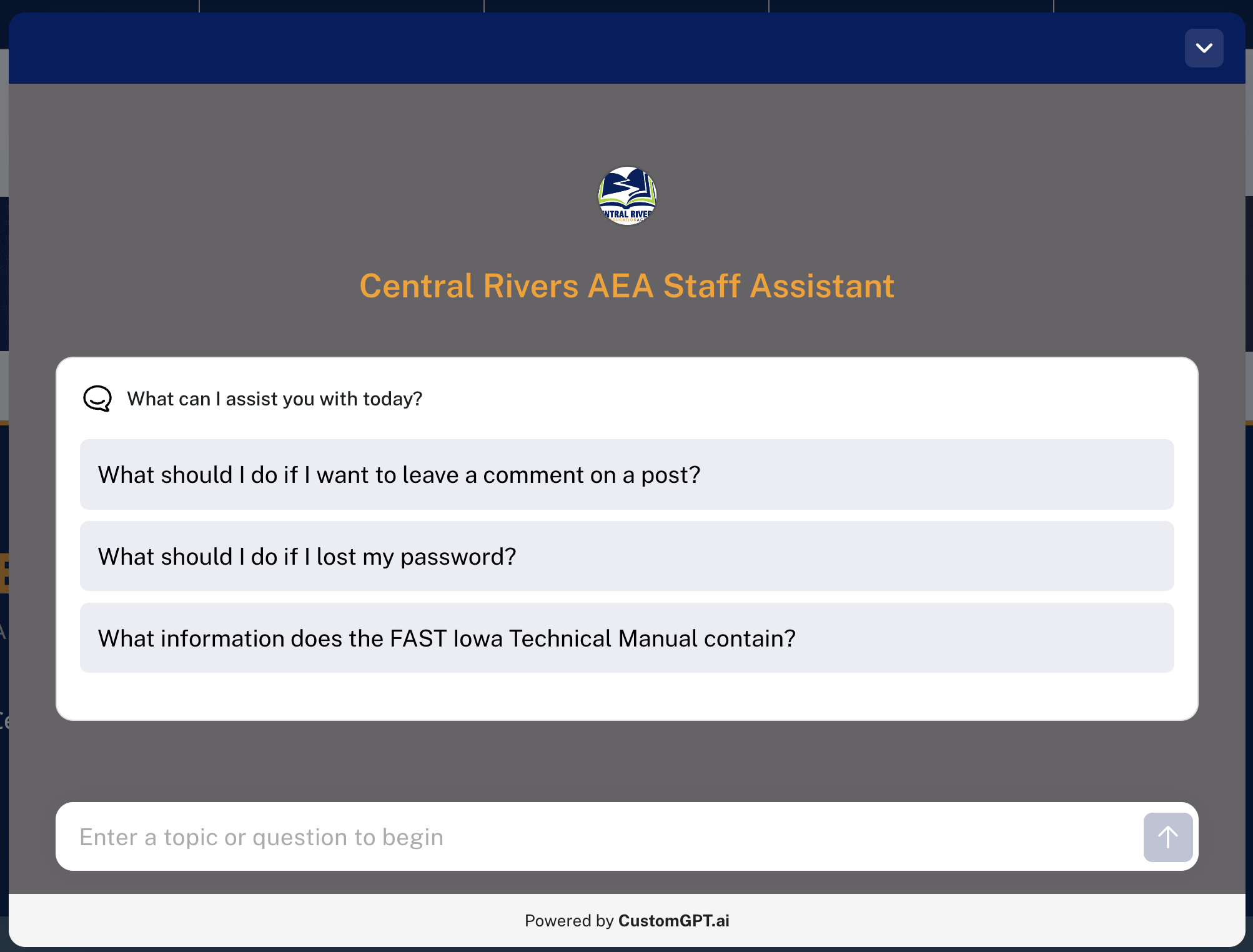
- New AI Chatbot: Click the new chatbot assistant on the page to ask questions in plain language and get pointed directly to the right form, policy or resource. (Please note that we are continually refining this tool as we go. It will improve as staff use it. Please report examples of insufficient search results to Beth Strike.)
- Top Search Bar: Prefer a classic keyword search? The standard search bar at the top of the site is still right where you expect it.

What you’ll find under each section
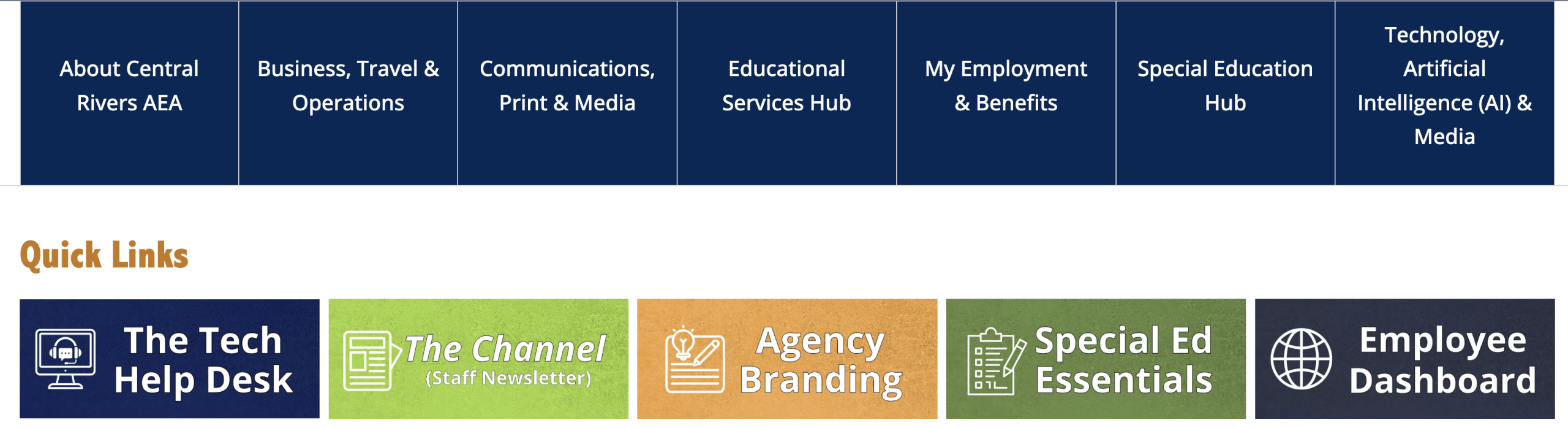
- About Central Rivers AEA: Who to reach out to across the agency. This includes leadership rosters (Administrative Cabinet, Regional Administrators, River Hills School Principal and Agency Directors), the Educational Directory and the “Who Do I Ask?” directory to help point you in the right direction.
- Business, Travel & Operations: Logistics and daily business tasks. Head here for cell phone and expense reimbursement forms, professional learning and travel approval requests, inclement weather and building closing updates, emergency crisis response manuals, equity policies and Educator Quality Committee info.
- Communications, Print & Media: Branding and storytelling tools. Access the branded clothing storefront, order business cards, download official agency presentation templates, submit media release forms, share success stories and review website accessibility modules.
- Educational Services Hub: Instructional materials, curriculum resources and training tools designed to support your work with local schools, teachers and students.
- My Employment & Benefits: Everything related to your job and benefits. Log into TimeClock to submit leave, review health and retirement plans, check compensation info, report a work injury, access onboarding/offboarding materials and review agency employee policies.
- Special Education Hub: Specialized tools, paperwork guidelines, compliance documentation and instructional strategies for staff serving students with specialized learning needs.
- Technology, Artificial Intelligence (AI) & Media: Hardware, software and tech support. Submit tickets through the Tech Request Catalog, order iPad apps, look up office phone extensions and voicemail setup guides and browse helpful tips on everyday tech, AI tools and media equipment.
On the front page of the staff intranet, you will find the seven new categories on the main menu, along with five “quick link” resources.
Take a few minutes today to explore your new hub, test out the new chatbot or search bar and bookmark the pages you visit most often! Can’t find something you are looking for? Share your input for additional content with Beth Strike.
Leave a Reply